

Customer stories
Start from the idea, not the tool: creating with AI at Imegia
Imegia brings image, video, audio and 3D generation and editing into a single environment — with the HiMegia, HiNova and HiVision models coordinating every stage of the work.
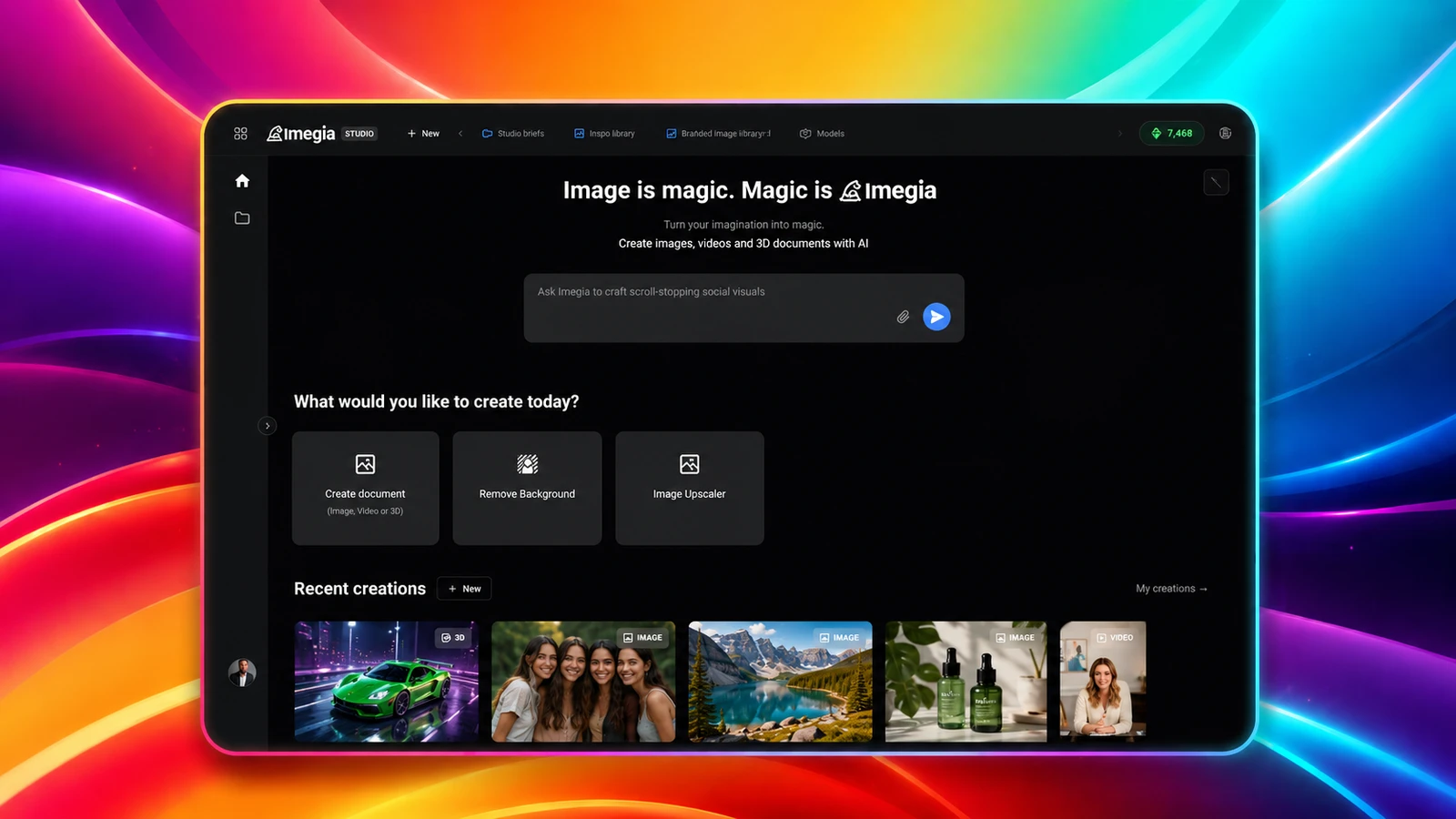
Creating an image, producing a video, building a 3D model or preparing a campaign usually takes different tools, file formats and technical skills.
Someone might start with a photograph, move through an image editor, use another platform to produce a video, turn to a separate service to work on audio, and still have to keep track of where every file, version and result is stored.
For creative professionals, that fragmented process eats time. For anyone without experience in design, editing or modeling, it can stop an idea from ever becoming something concrete.
Imegia is working to simplify that journey.
The platform brings image generation and editing, video production, 3D modeling and audio capabilities together in a single environment. The user can start from an idea, a description or a reference file and keep developing the content without ever leaving the project.
To sustain that experience, Imegia uses specialized HiNow models. HiMegia is the main model for generating and transforming images. HiNova works as the agent responsible for interpreting and coordinating creative requests. HiVision analyzes images, identifies elements and extracts the detail needed to carry out transformations more precisely.
“Nobody should have to master several complex tools just to turn an idea into an image, a video or a 3D object. Technology has to make the creative process more accessible.”
— Alarico Bueno, Founder
From idea to content inside the same environment
An experience on Imegia can begin in different ways.
A merchant can upload a photograph of a garment and use it to create a presentation with a virtual model.
A creator can turn a still image into an avatar that delivers a script.
An artist can generate an illustration, keep working on it inside the editor, use it in a video and later turn it into the reference for a 3D model.
Each journey involves different capabilities. The system has to understand the request, analyze the uploaded files, prepare instructions for the right models, follow the processing and return the result inside the user's project.
When an image is uploaded, HiVision can analyze its composition and identify people, clothing, objects, settings, colors, lighting and other relevant detail.
HiNova takes that analysis, together with the user's request, and organizes the generation flow. It determines which tools and models to call and how each step should run.
HiMegia then carries out the visual generation or transformation based on the instructions the agent structured.
An operation may involve:
- The user uploads an image or describes what they want to create.
- HiVision analyzes the content and identifies its elements.
- HiNova interprets the goal and organizes the flow.
- The system selects the models, tools and servers required.
- HiMegia generates or transforms the image.
- The result is stored in the project.
- The user keeps working on the material inside the editor.
“To the user, it should feel as though they simply described what they needed and got a result. Behind that experience there are agents, models, files and servers working together.”
— Alarico Bueno, Founder
A full image editor built around artificial intelligence
Generating an image is only the start of the creative process.
After generation, the user may need to fix details, remove elements, change colors, add text, work in layers or combine different images.
That is why Imegia offers a visual editor with an experience close to professional tools like Photoshop, but wired directly into the platform's artificial intelligence capabilities.
The environment supports work with features such as:
- layers;
- selection and cropping;
- masks;
- text and shapes;
- filters and adjustments;
- transparency and blending modes;
- background removal;
- resizing;
- generation and editing with artificial intelligence;
- export in different formats.
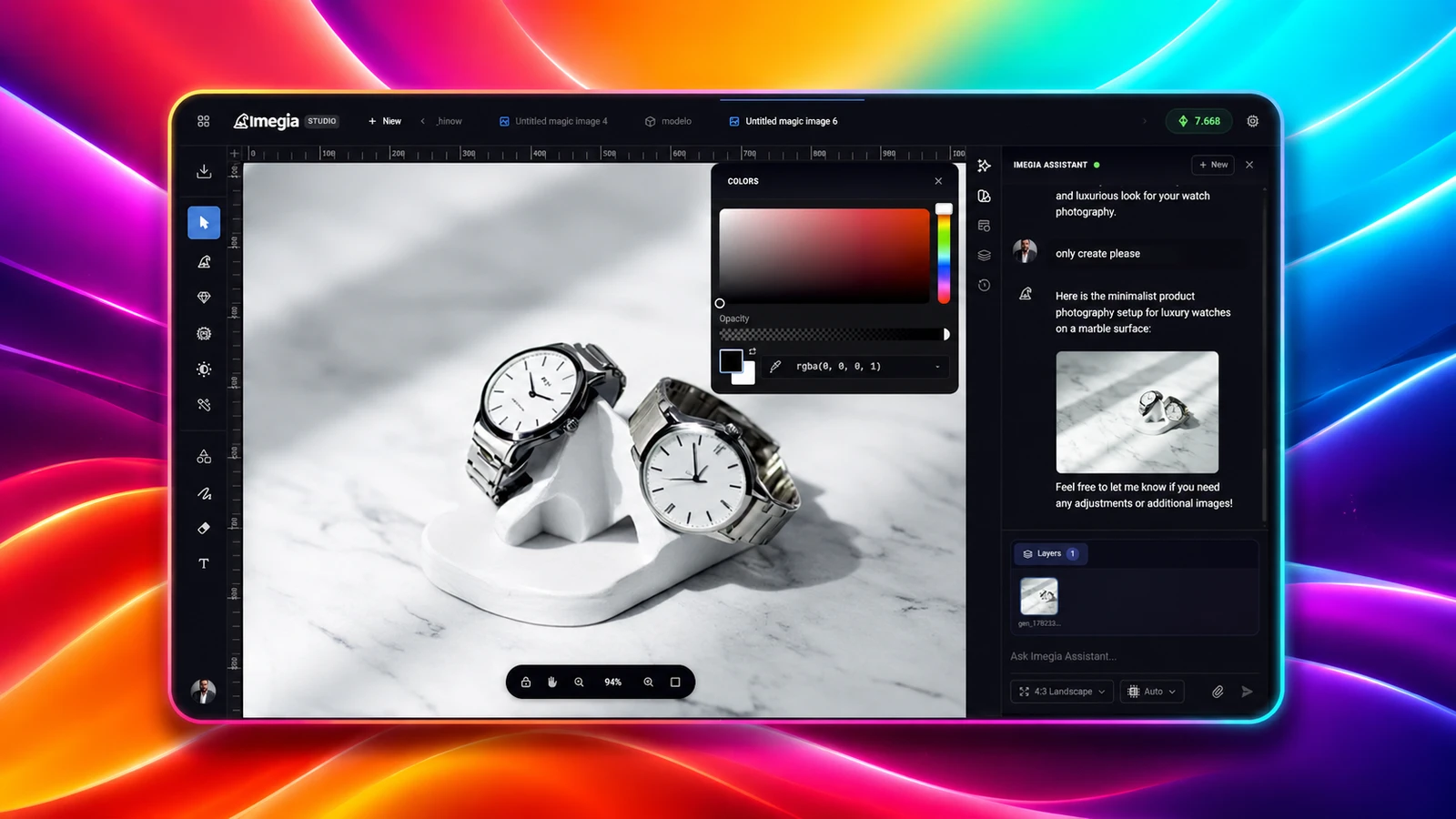
Imegia's image editor pairs a professional layer-based interface with generation and transformation powered by artificial intelligence.
The key difference lies in how artificial intelligence takes part in the editing.
Rather than only producing a standalone image, HiMegia can work on existing content. The user can select a region and ask for a change, swap a setting, add an object or create a new version while preserving specific elements.
HiVision helps make sense of what is already in the image and which parts have to stay untouched. HiNova organizes the request and prepares the operation HiMegia will run.
For a request like “change only the clothing, keeping the person, the pose and the setting”, the system has to recognize that most of the original composition must be preserved.
“HiMegia is the core of our visual experience. It lets the user not only generate an image, but keep working on it until they reach the result they wanted.”
— Alarico Bueno, Founder
Understanding an image before transforming it
Transforming an image correctly takes more than noting that there is a person, a product or a setting in it.
In a virtual fashion tool, for instance, the system may need to recognize:
- the garment;
- the shape and position of the body;
- arms, hands and areas of overlap;
- the texture and drape of the fabric;
- lighting and the direction of shadows;
- the background and elements of the setting;
- features that must not be modified.
Imegia uses HiVision to perform that visual reading.
The model identifies objects, spatial relationships, aesthetic traits and the details that matter to the transformation. HiNova uses that analysis to plan the operation, and HiMegia uses it to produce the result.
“The first step to transforming an image correctly is understanding what is in it. The quality of the generation depends as much on the model that creates as on the ability to identify what has to be preserved.”
— Alarico Bueno, Founder
HiNova as the agent of the creative process
A request that looks simple can hide a number of decisions.
When someone asks to “create a fashion campaign with this outfit”, the system has to work out whether the garment should be extracted from the image, whether a person needs to be created, which setting to use, which features have to be preserved and what final format should be produced.
HiNova acts as the agent responsible for organizing that process.
Within a single request, it can:
- interpret the creative goal;
- make sense of the uploaded files;
- request an analysis from HiVision;
- define what has to be preserved;
- structure instructions for HiMegia;
- select supporting tools;
- follow the processing;
- tie the results back to the right project.
That turns image generation into an agentic flow.
The user doesn't have to know the models' names, configure technical parameters or manually pick the infrastructure required.
“The agent's job is to turn the user's intent into an executable operation. It connects language, visual analysis, generation and infrastructure.”
— Alarico Bueno, Founder
From a still image to video production
Imegia also offers a video editor with the familiar structure of professional editing tools.
The environment uses a timeline where the user can arrange video, images, audio, text, effects and transitions.
Its features include:
- multiple video and audio tracks;
- cutting and splitting clips;
- transitions;
- text and visual elements;
- color and lighting adjustments;
- volume control;
- effects;
- organization by scene;
- previewing the result;
- exporting the finished video.
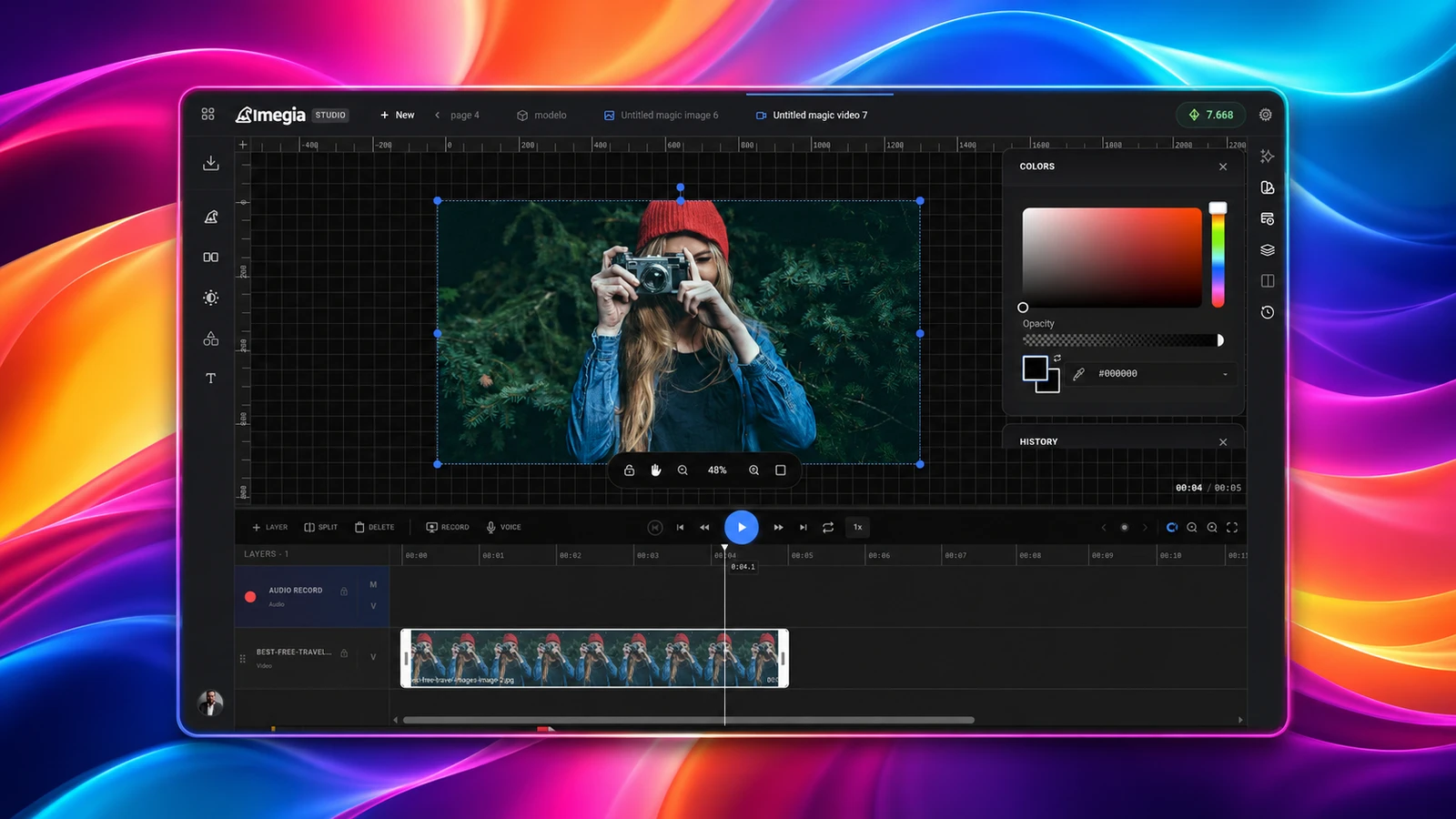
Imegia's video editor uses a timeline familiar from the leading professional editors, wired into the platform's artificial intelligence capabilities.
Because the modules are integrated, an image created by HiMegia can be sent straight to the video editor.
It can be animated, combined with other scenes, given audio, or used as the basis for an avatar.
The project keeps the relationship between the original material, the generated results and the files used in the edit.
“We don't want each tool to feel like a separate product. We want a creation to keep evolving inside Imegia, whether it becomes an image, a video, audio or 3D.”
— Alarico Bueno, Founder
Turning an image into a virtual presenter
One example of that integration is Talking Avatar.
The user can pick or upload an image of a person, provide the text to be delivered and choose a voice.
The system turns that image into a video in which the person speaks the content, with voice, facial movement and lips in sync.
The feature can be used for:
- presentations;
- educational videos;
- social media content;
- product demos;
- corporate communication;
- campaigns in different languages;
- creating virtual characters.
Talking Avatar turns an image into a virtual presenter with a voice and lip sync.
An operation like this connects several parts of the platform.
The image can be analyzed and prepared, the text can be interpreted, the voice can be generated, and video servers process the movement and the synchronization.
The result is stored in the project and can be opened straight in the video editor to receive cuts, text, music or other scenes.
File infrastructure as part of the creative experience
On a creation platform, storing files is not merely an administrative function.
Each project may hold original material, references uploaded by the user, results generated by artificial intelligence, temporary files, edited versions and exports.
A single creation can produce several related files.
One generation performed by HiMegia may store:
- the original reference;
- the analysis produced by HiVision;
- the instructions organized by HiNova;
- the different versions generated;
- the selected result;
- the files later used in videos or 3D projects.
HiNow's infrastructure helps Imegia manage that cycle. That includes receiving uploads, organizing them by user and project, storing the results and delivering the files to each processing step.
The flow accounts for:
- different formats and sizes;
- permissions between users;
- original and derived files;
- version history;
- metadata produced by the models;
- temporary material;
- availability for editing and export;
- control over the space used on each plan.
“When someone comes back to a project, they need to find their creations, versions and references exactly as they left them. Trust in the platform also rests on how those files are preserved.”
— Alarico Bueno, Founder
Running servers for different kinds of work
Analyzing an image, generating a composition, rendering a video and producing a 3D model are tasks with different characteristics.
Some operations finish in a few seconds. Others demand servers with more processing capacity, GPU use, the transfer of large files and several minutes of execution.
To handle that variation, Imegia uses HiNow's infrastructure to distribute work across different services and servers.
A flow may include:
- Validating the request.
- Receiving and preparing the files.
- Analysis of the image by HiVision.
- Planning of the task by HiNova.
- Routing to the appropriate server.
- Visual generation by HiMegia.
- Monitoring the processing.
- Handling failures and retries.
- Storing the result.
- Updating the user's project.
Processing queues organize the requests without depending on a single machine or on a continuous connection to the browser.
That matters especially in work such as high-resolution image generation, video production, 3D modeling, motion transfer, Talking Avatar and audio processing.
“A creative tool has to keep working even when thousands of tasks have different timings and different needs. The infrastructure has to absorb that complexity instead of passing it on to the user.”
— Alarico Bueno, Founder
Using specialized models
No single model is ideal for every stage of a creative platform.
So Imegia uses specialized capabilities:
- HiVision understands images and identifies the necessary detail;
- HiNova interprets the request and coordinates the flow;
- HiMegia generates and transforms the visual content;
- other models handle video, voice, audio, language and 3D content.
Through HiNow, those capabilities are connected inside a common architecture.
Routing can weigh the type of task, the quality requested, the resolution, the processing time, server availability and operating cost.
“HiVision understands, HiNova coordinates and HiMegia creates. That specialization lets each part of the system do what it was built for.”
— Alarico Bueno, Founder
Making the infrastructure invisible to the creator
Building a multimodal platform means managing storage, servers, queues, models, asynchronous processing, permissions and usage limits.
Those components are essential, but they shouldn't demand the user's attention.
HiNow provides part of that operational layer for Imegia, letting its team concentrate on the creation experience and the editing tools.
When new features are added, they can build on services that already exist for analysis, storage, processing, model routing and load distribution.
“Our job is to build tools that help people produce. The less they have to think about servers, formats, agents or models, the better the experience.”
— Alarico Bueno, Founder
The next stage of creative platforms
Imegia is moving toward an experience in which different forms of creation can be connected ever more naturally.
Instead of picking a tool first and learning how it works, the user will be able to start by describing the result they want.
HiNova will be able to interpret the goal and organize the process. HiVision will be able to analyze the available material. HiMegia will be able to generate or transform the visual content.
Other specialized models will be able to complete the flow with video, voice, music and 3D objects.
“We want people to start from the idea, not from the tool. The platform should understand what they want to create and help build the path to the result.”
— Alarico Bueno, Founder
As the models evolve, Imegia will be able to take on new forms of generation, editing and interaction without giving up the integrated experience it is building.
HiNow will keep supporting that evolution with HiMegia, HiNova, HiVision and the infrastructure needed to manage files, servers, processing queues and the flows that connect every stage of creation.
For Imegia, the goal remains the same: to lower the barriers between an idea and the chance to turn it into something that can be seen, heard, shared or produced.