Creates and edits images from a description. It respects long requests, writes legible text inside the scene and keeps the same character from one image to the next.
A sentence or a whole paragraph: the scene comes out faithful to the request.
Creates and edits
From scratch, or on top of the image you upload.
Text and character
Legible lettering in the scene and the same face in every image.
Every image on this page was generated with HiMegia. Click any of them to enlarge, or generate in chat to remake it with the same prompt.
It respects the whole request
The biggest frustration with image generation isn't quality. It's writing a long request and watching half of it get ignored.
HiMegia organizes the request before composing the scene: it identifies the subject, separates what is mandatory from what is setting, and checks the result against what was asked.
You can write the whole sentence — the material, the light, the framing and the mood — instead of boiling the idea down to three keywords and hoping.
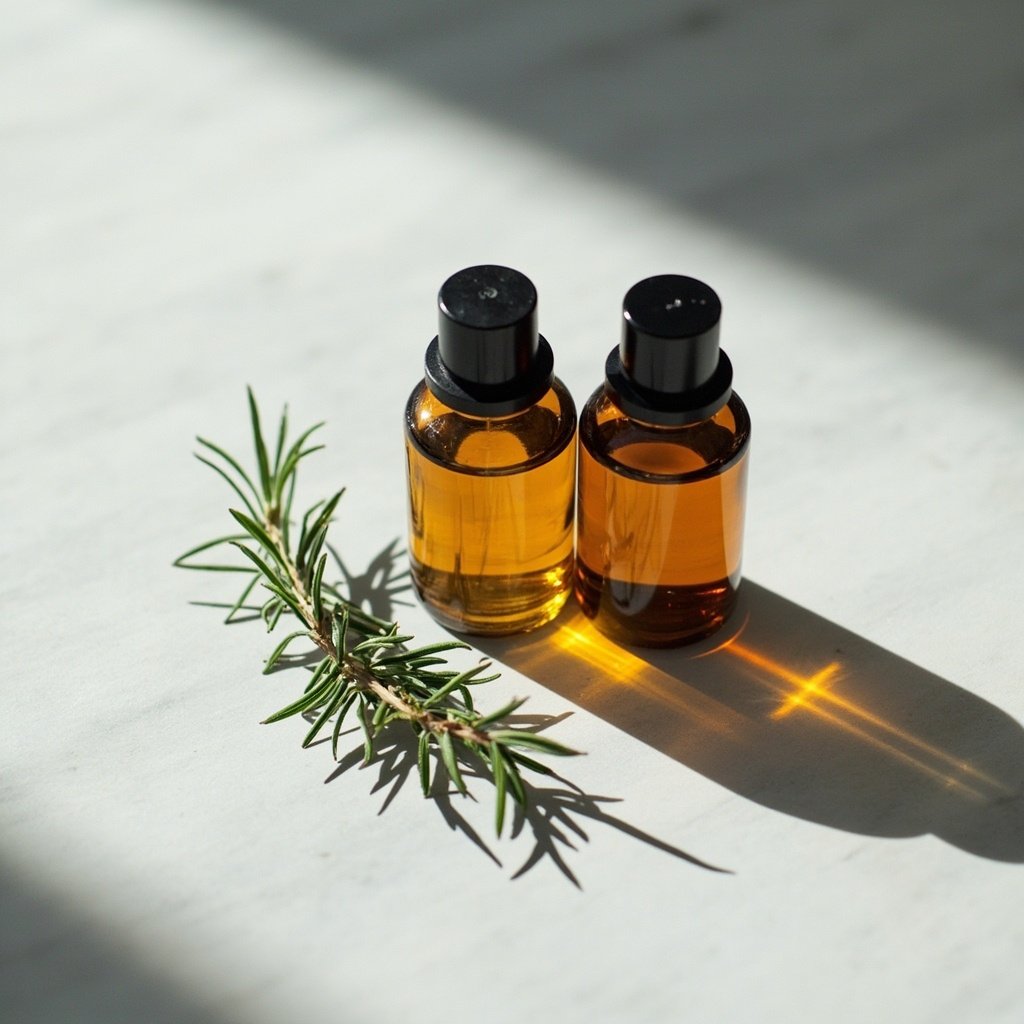
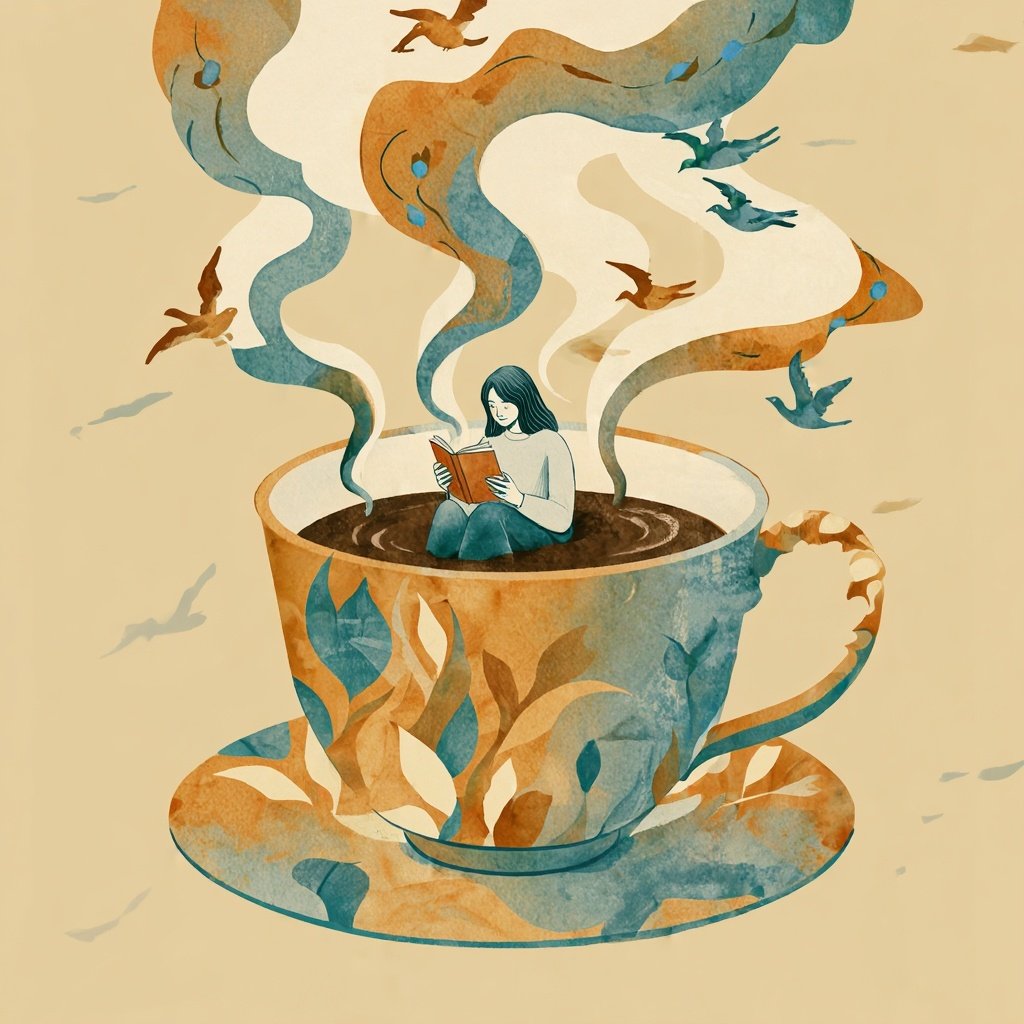
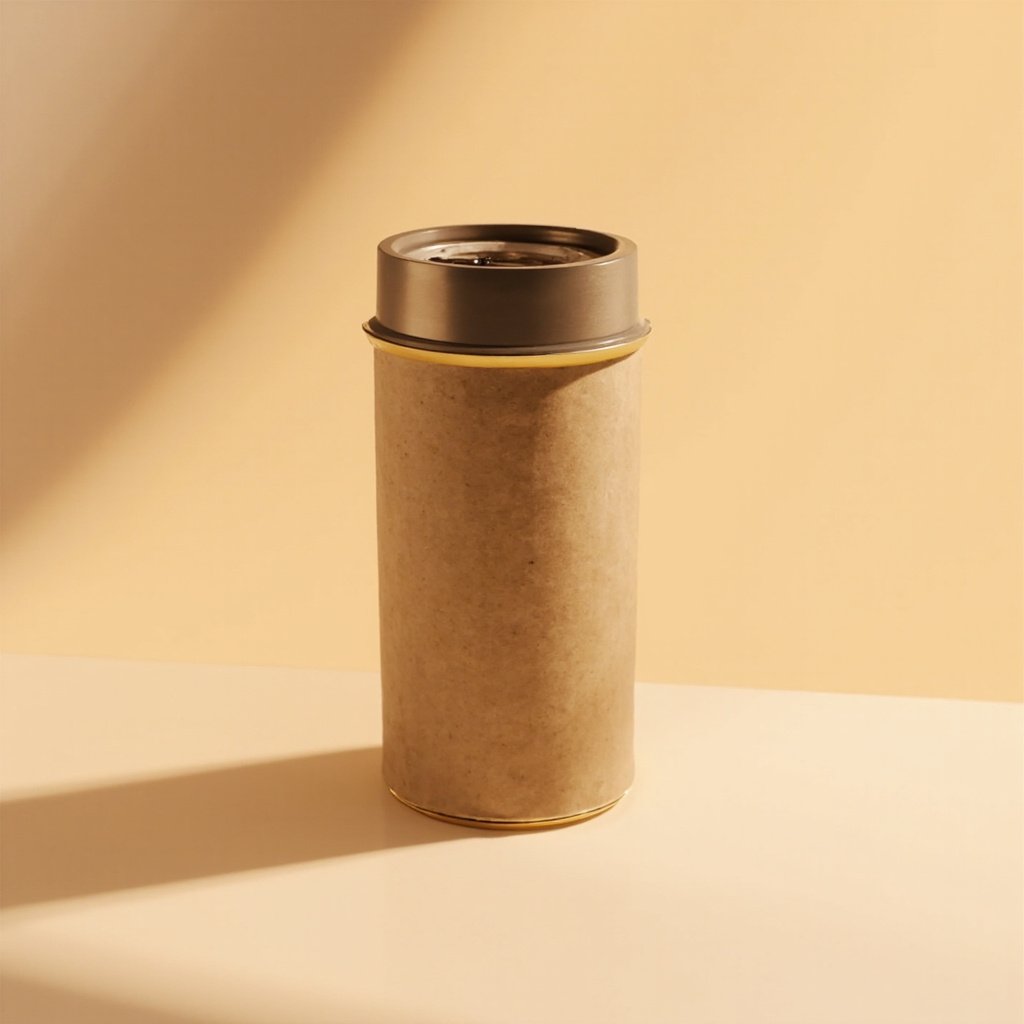
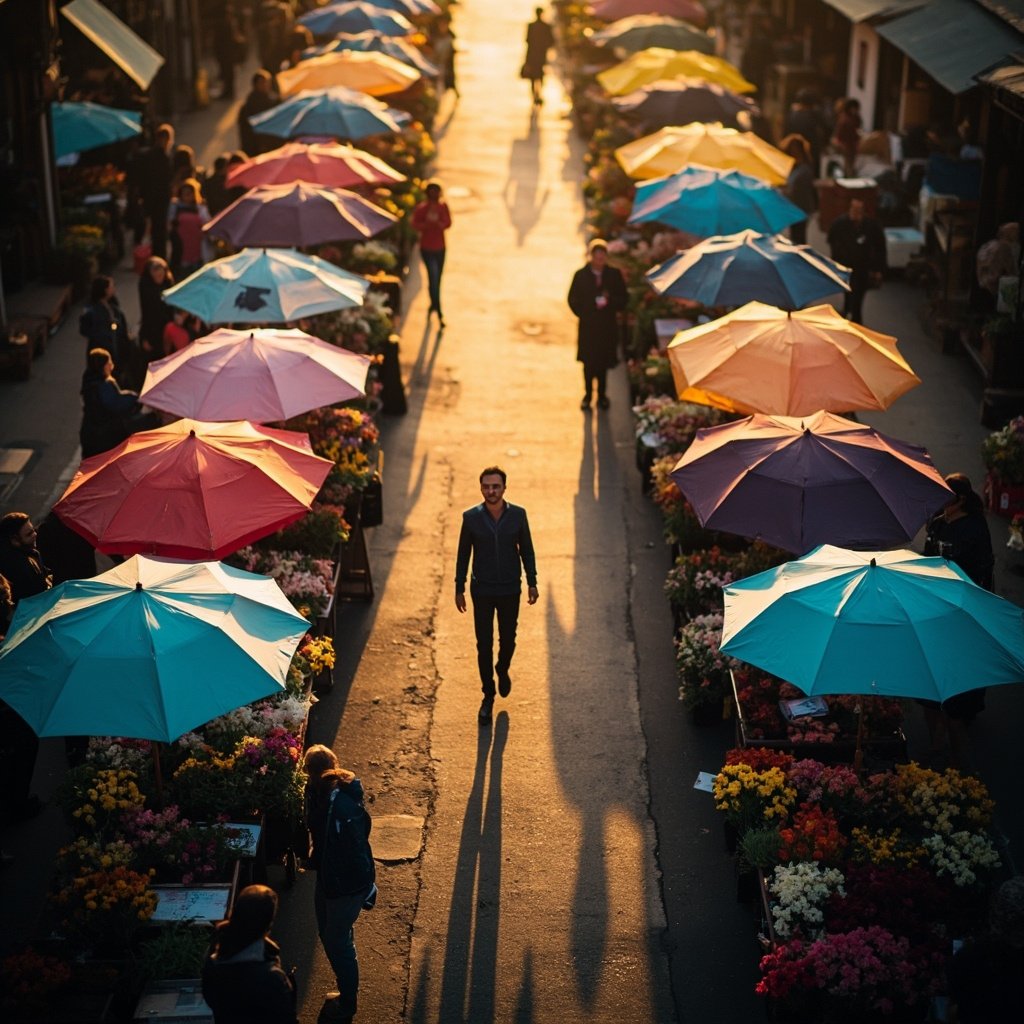
PromptExactly three amber glass perfume bottles, no more than three, lined up side by side on a smooth, uniform light gray surface. The middle bottle sits slightly ahead of the other two. Exactly one sprig of rosemary, only one, lying in front of the left-hand bottle. Hard side light from the left, long shadows cast to the right. Smooth light gray background, no marble, no other objects. Product still, high contrast.generate in chat ↗PromptEditorial illustration of a woman reading, seated inside a giant coffee cup. The steam rises and turns into birds. Palette limited to three colors only: ochre, petrol blue and cream. Gouache linework with visible paper texture. Centered composition, smooth cream background.generate in chat ↗Prompt3D render of a cylindrical kraft paper coffee package with a brushed metal lid, on an infinite beige background. Studio lighting with a large softbox on the left and a white bounce card on the right. Soft contact shadow under the base. Physically correct materials, ambient occlusion, no text on the packaging.generate in chat ↗PromptAerial view of a flower market at dawn with exactly eight colorful parasols, no more and no fewer than eight, arranged in an arc. A few people walking between the stalls. Wet pavement reflecting the colors. Drone photography, low golden light.generate in chat ↗
Four different registers — product photography, illustration, 3D render and aerial photography — from the same model.
The text comes out right
This has always been image generation's Achilles heel. Swapped letters, invented words, wrong accents. The workaround was to generate without text and write over it in an editor.
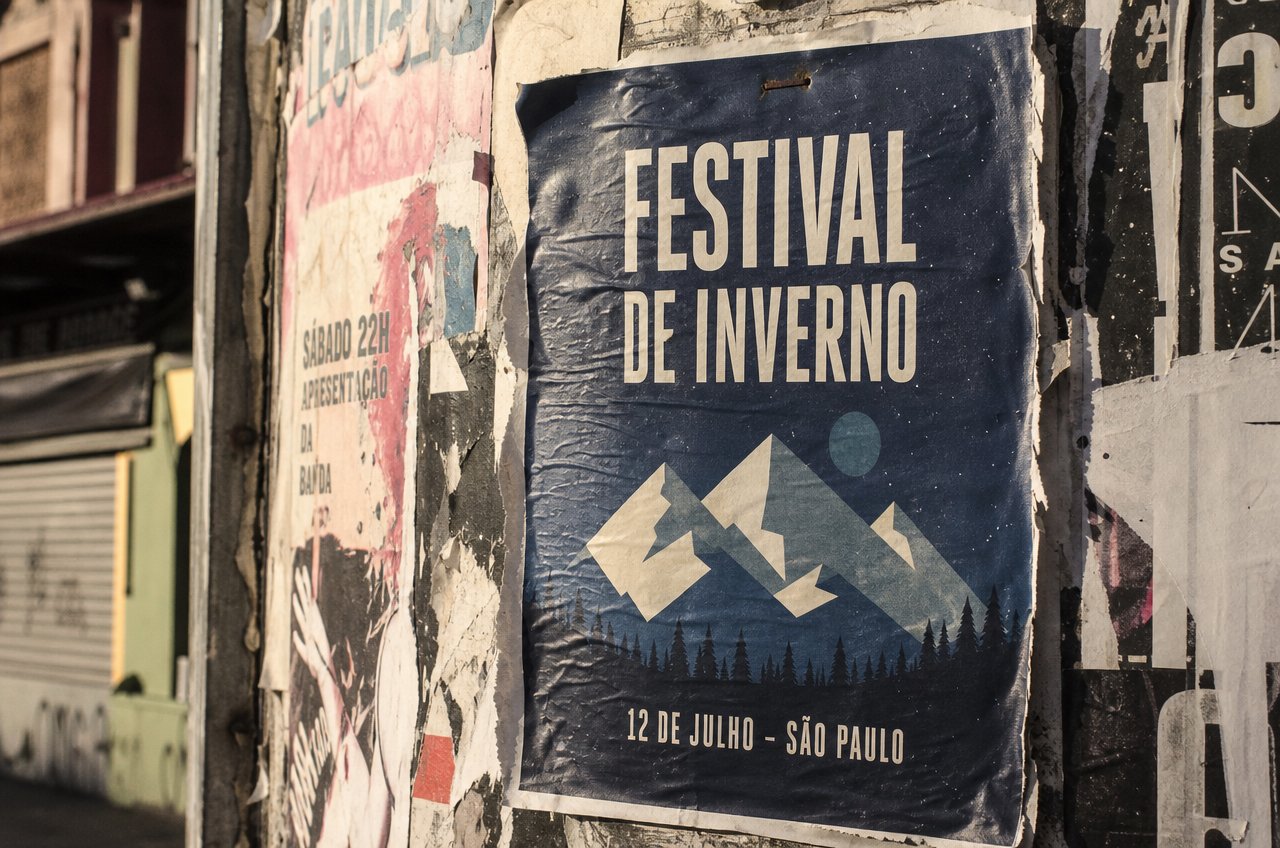
In HiMegia the lettering is born along with the image: in the perspective of the surface, with the light of the scene, in the right material. Including on a curved surface, at an angle, and at small sizes.
It works in the Latin alphabet and also in Chinese, Japanese, Korean, Arabic and Hebrew — which makes it possible to generate the same piece for several markets without redoing the artwork.
PromptRealistic street photograph of an urban wall covered in overlapping, torn pasted posters. At the center, in focus, a screen-printed concert poster: navy blue background with a geometric illustration of winter mountains, the title "FESTIVAL DE INVERNO" in bold condensed white type printed on the paper, and below it, in smaller letters, "12 DE JULHO - SÃO PAULO". Write every word exactly as given, with no spelling errors. The paper has real texture: creases, glue bubbles, torn corners, a rusted staple at the top. Around it, scraps of other faded, torn old posters. Late afternoon urban light, 35mm photography with subtle grain, shallow depth of field, camera at a slight side angle — not perfectly head-on.generate in chat ↗
Editing on your own image
A good deal of real work isn't creating from nothing. It's taking an image that already exists and changing one thing in it.
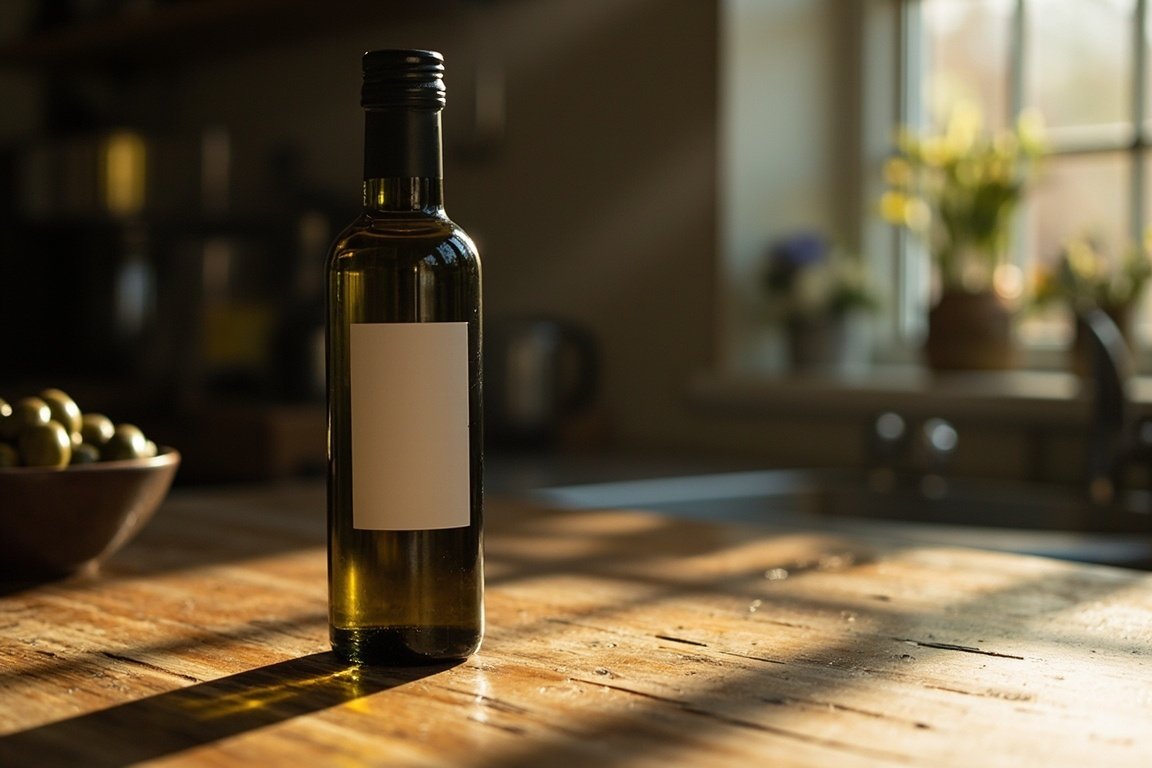
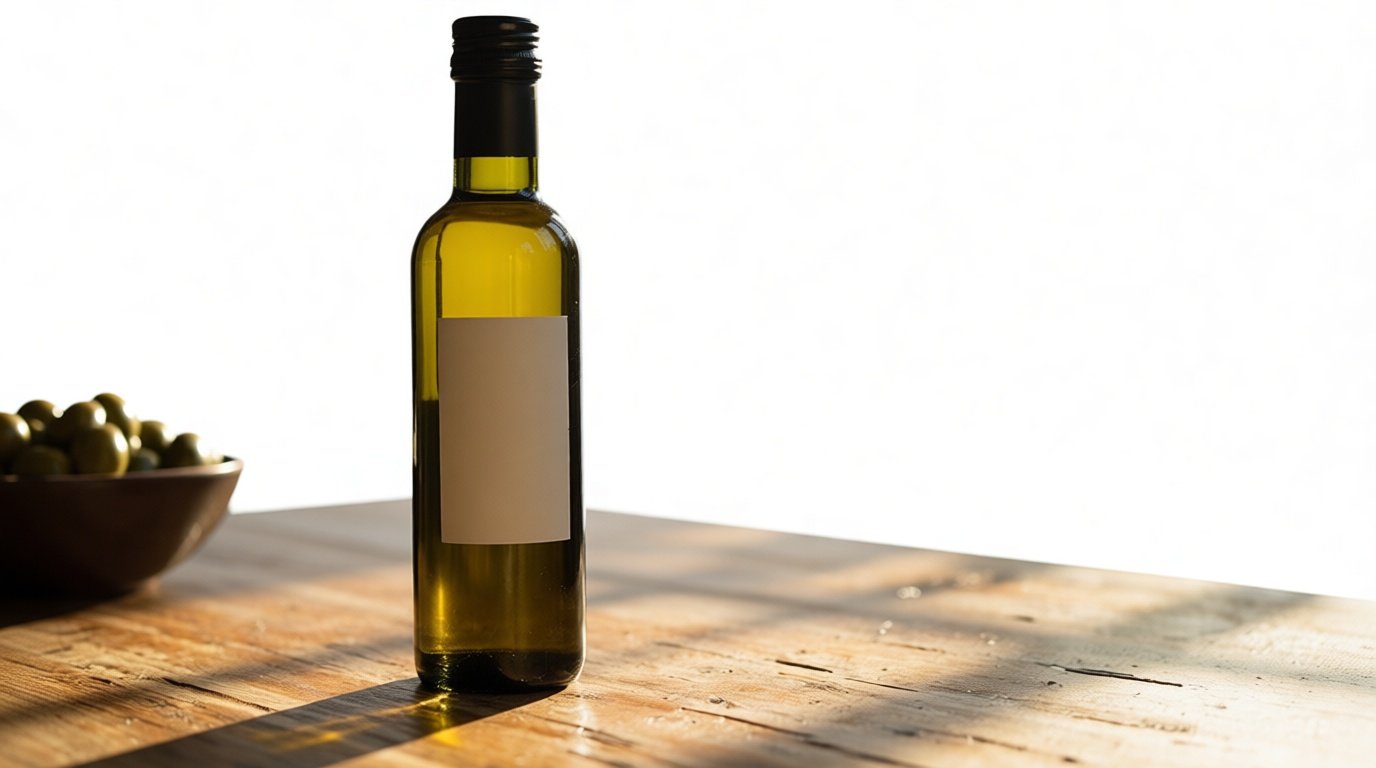
You upload the image and say what you want different. Whatever you didn't mention stays as it was — same product, same label, same shadow.
PromptA dark glass olive oil bottle with a blank label, on a rustic wooden table in a kitchen, with a blurred window in the background and a bowl of olives beside it. Natural side light, defined shadow to the right of the bottle. Product photography in context, 50mm.generate in chat ↗PromptReplace the background with a light, uniform studio. Keep the bottle, the label, the bowl of olives and the shadow exactly as they are, changing nothing about them.generate in chat ↗
On the left, the uploaded image. On the right, the result of the editing instruction.
Create a character and take them into any scene
Generating one beautiful image is one thing. Generating the tenth with the same face is quite another — and that's where campaigns, catalogs and narratives fall apart.
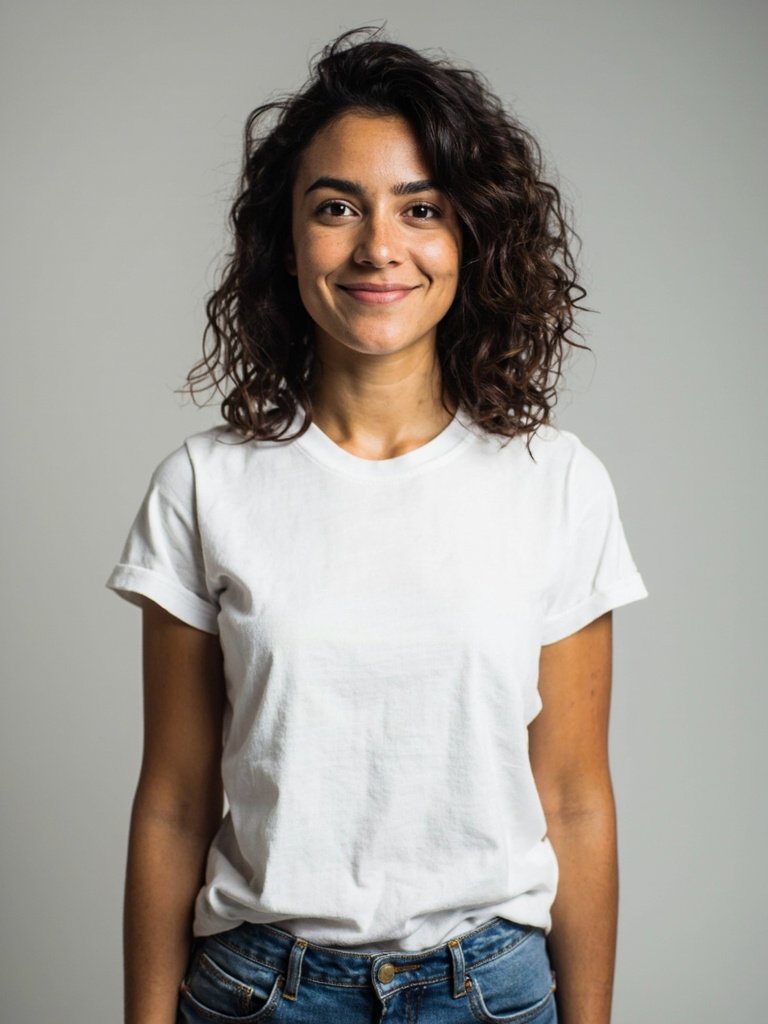
Describing the same person twice doesn't work: you get someone similar, not the same person. The way through is different — you generate the character once and pass that image as a reference for the next ones.
1 · The referencePromptFull-body portrait of a Brazilian woman of about 30, brown skin, dark brown curly hair at shoulder length, a small mole above the right lip, brown eyes, a subtle smile. She wears a plain white T-shirt and jeans. Uniform light gray studio background, soft even frontal light, no hard shadows. Character reference photography, full body, high sharpness.generate in chat ↗2 · Six scenes built from it
From there, each new scene is an edit on top of that reference. The outfit, the hairstyle, the setting and the light change — the face stays.
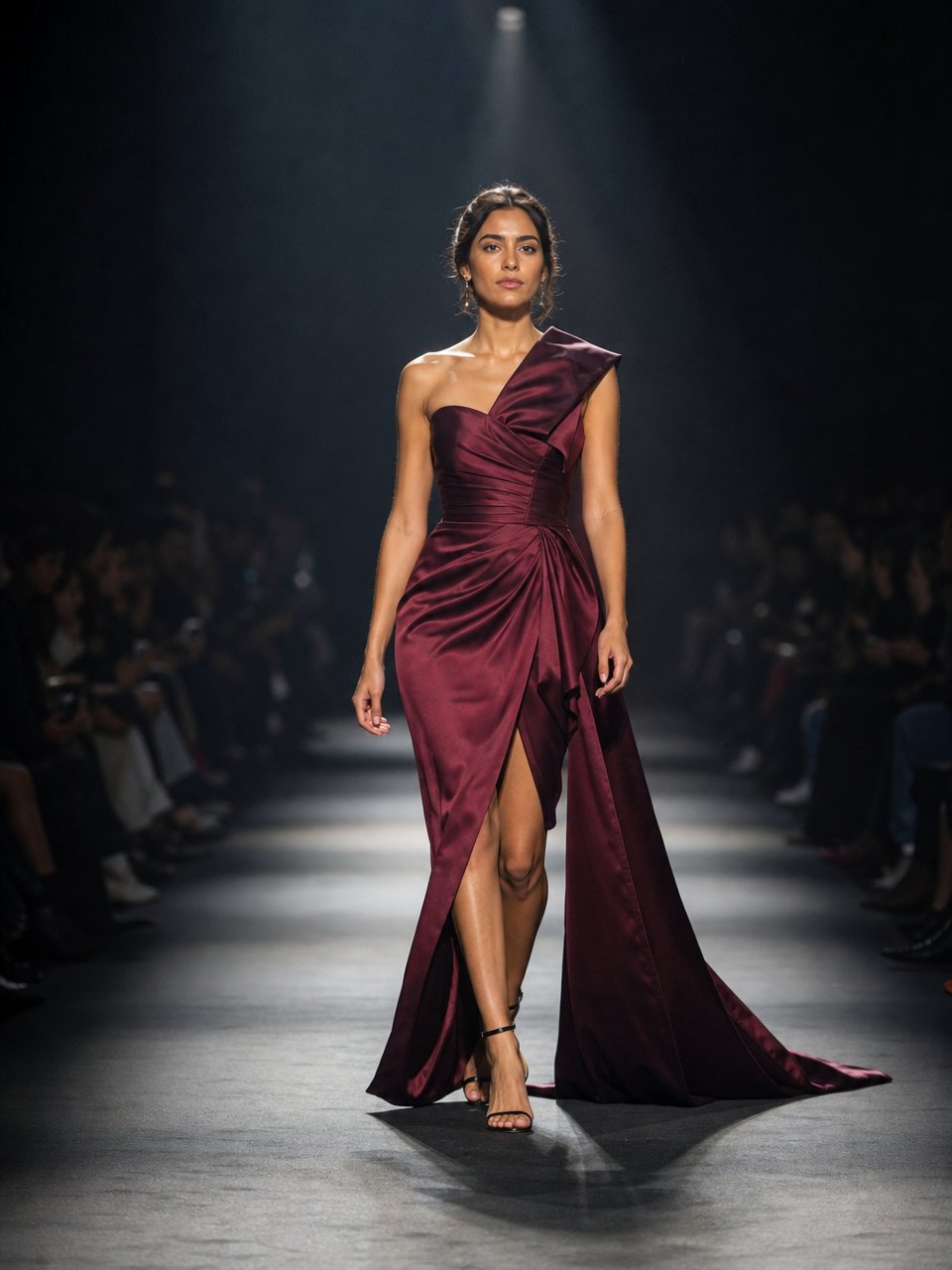
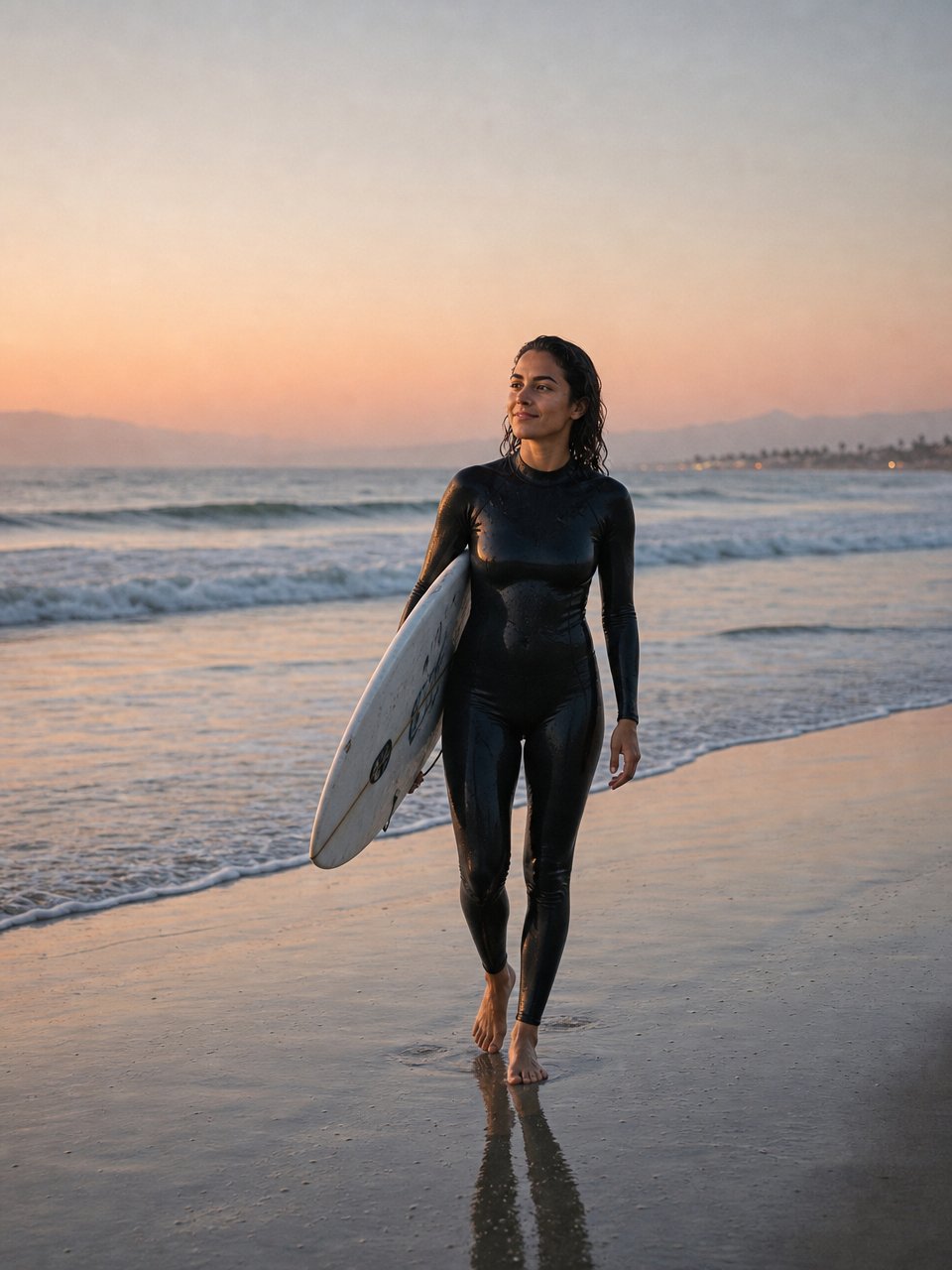
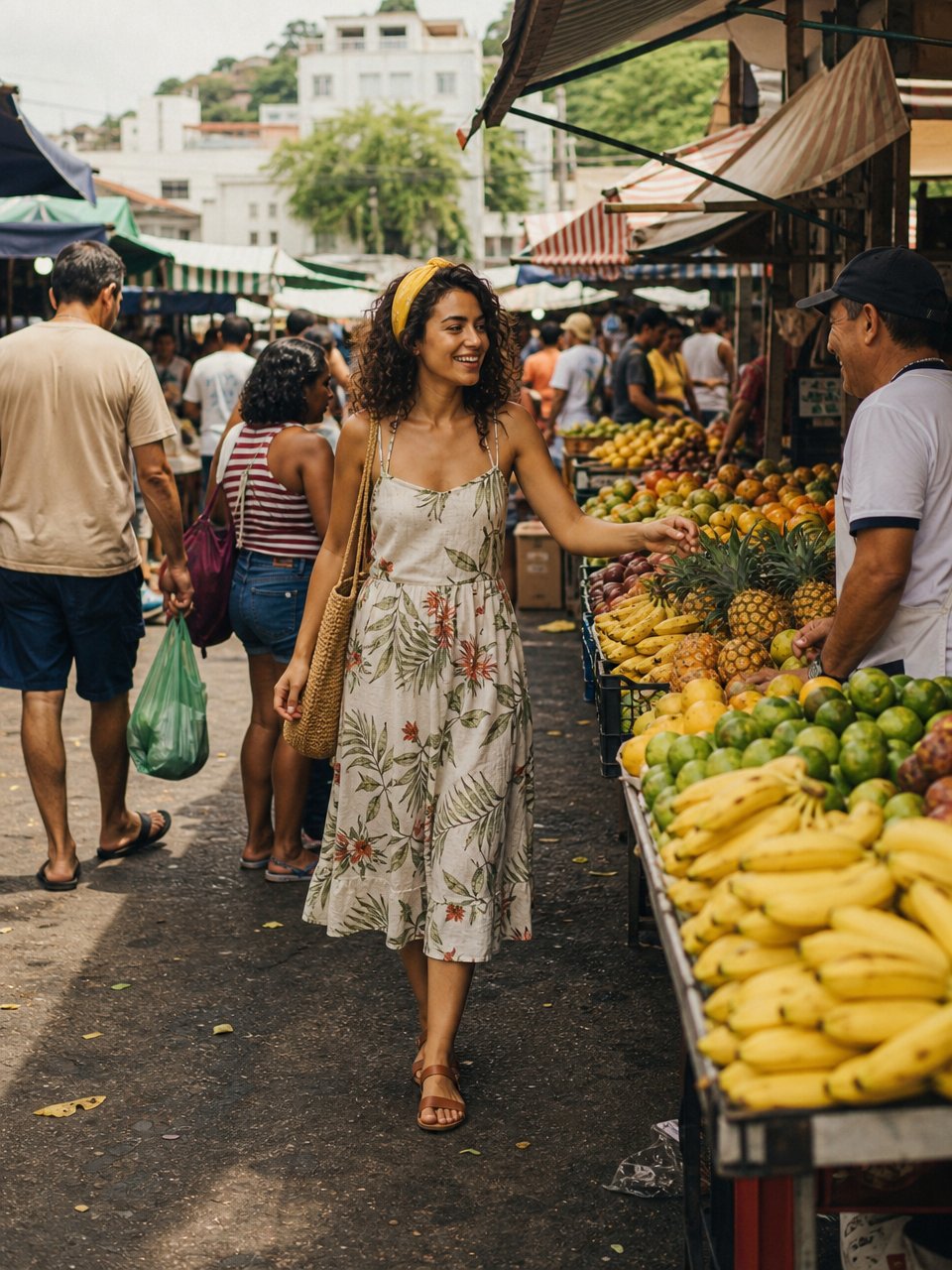
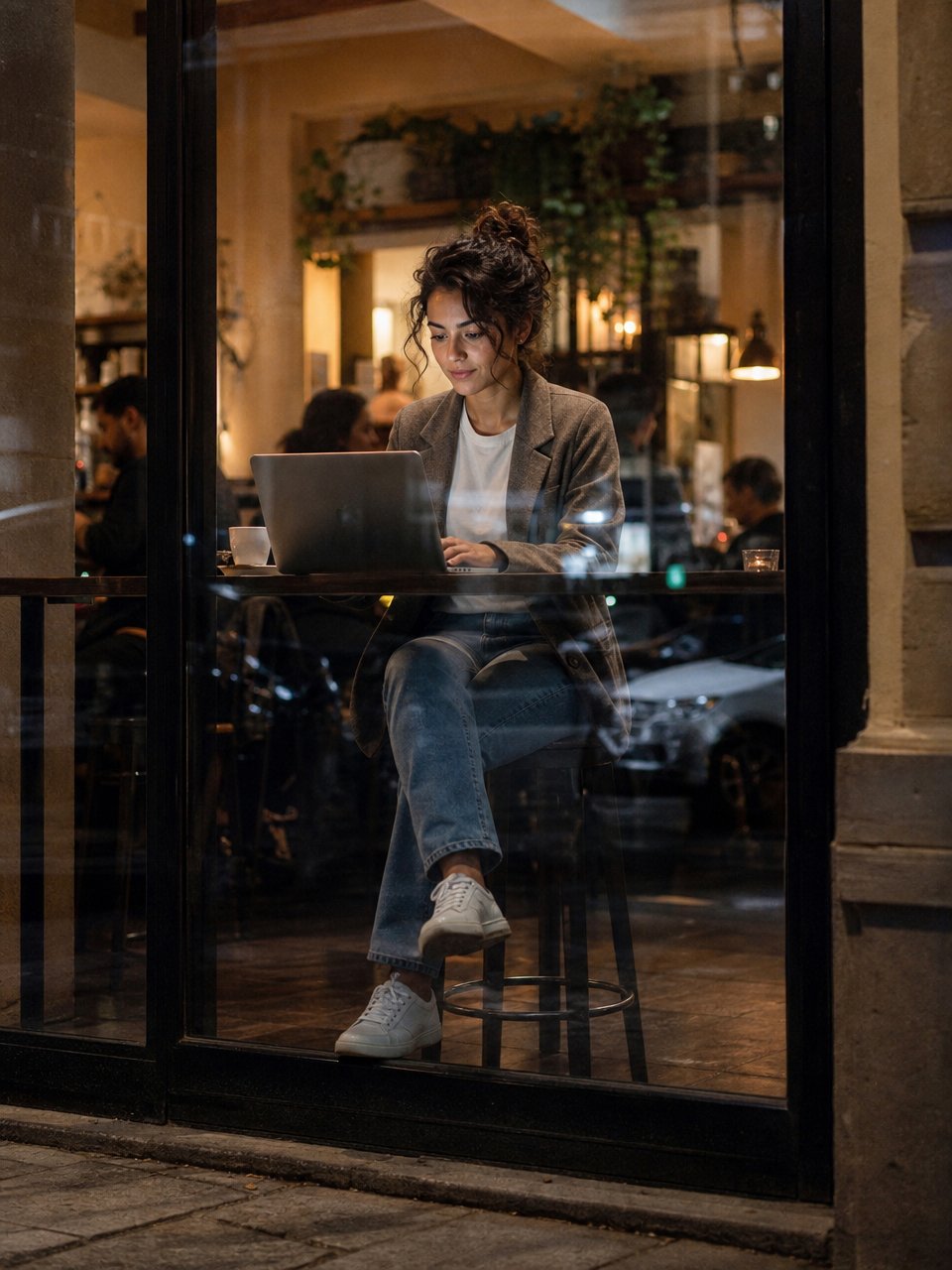
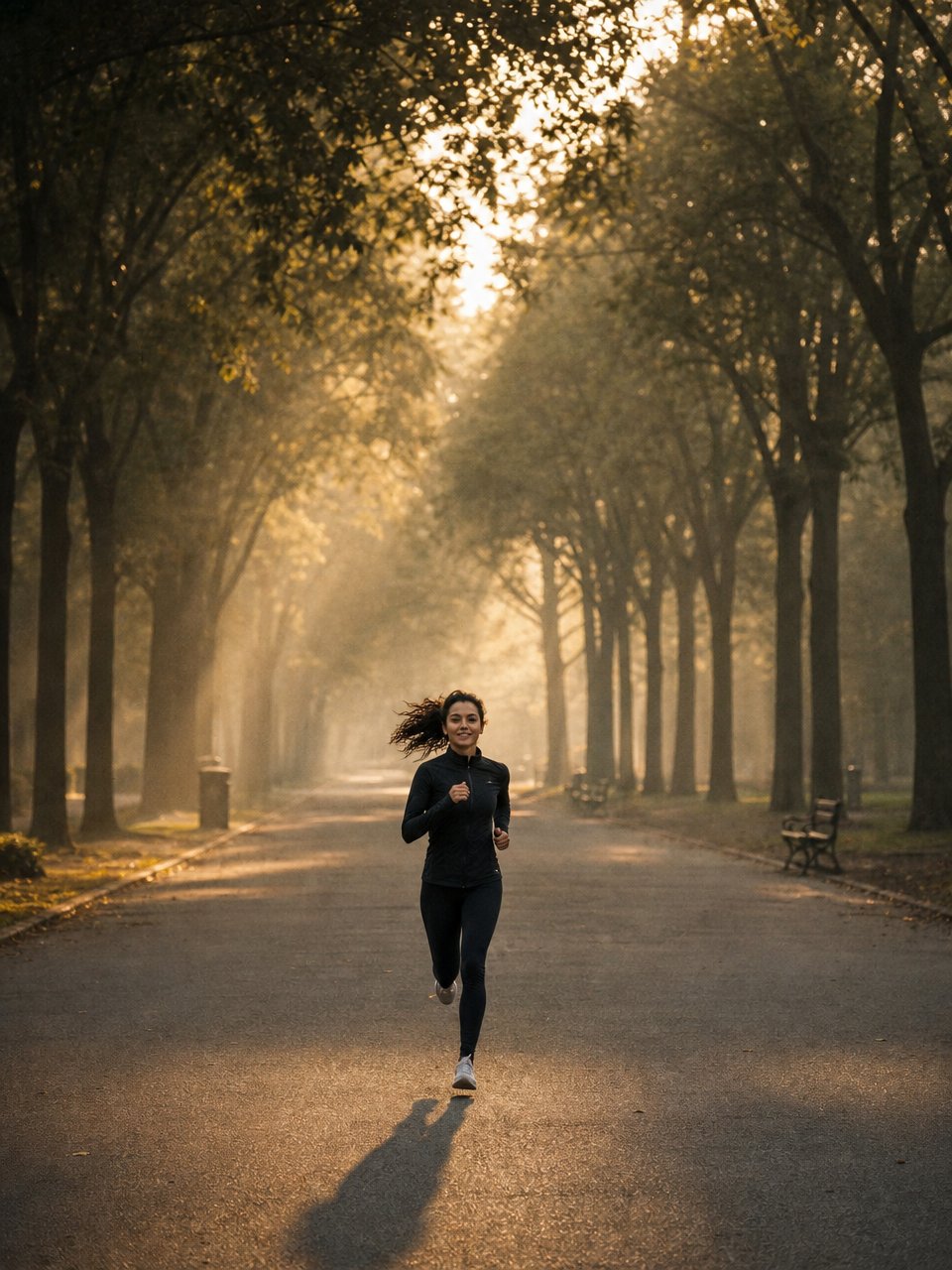
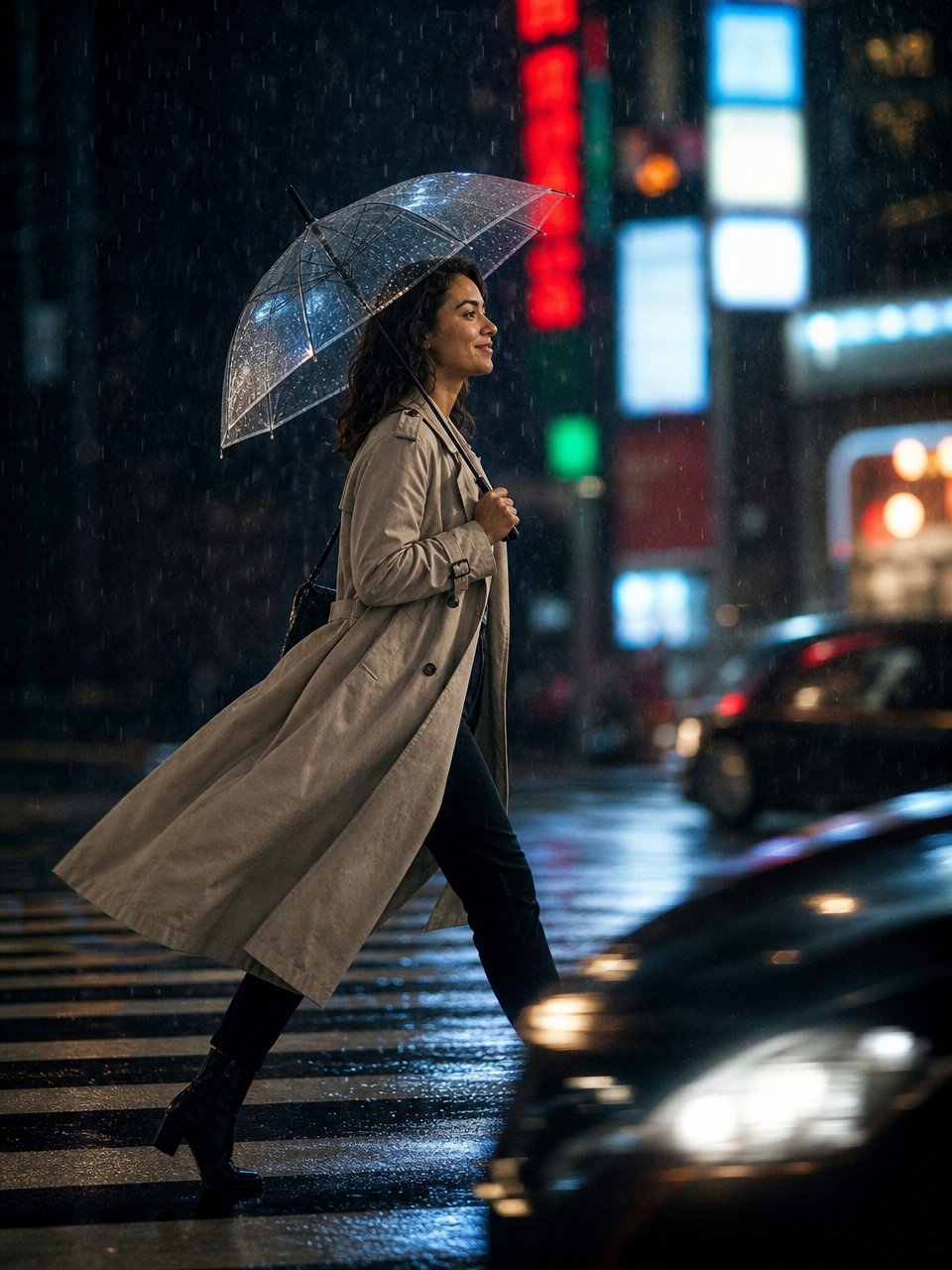
PromptKeep exactly the same person as in the reference image: same face, same features, same skin, the same small mole above the right lip. The hair stays dark brown, but styled to suit the scene. She is walking a haute couture show at fashion week: hair pulled into a sleek low bun parted in the middle, runway styling. A sculptural evening gown in structured wine-colored silk with a train and a slit, fine earrings, high heels, in the middle of the lit runway. NEUTRAL, haughty professional-model expression, chin raised, NOT smiling, gaze fixed ahead. Photographed from far away with a telephoto lens from the press pit, dark blurred audience on both sides, hard spotlights from above. WIDE full-body framing, head to toe, photographed from far away — she occupies only part of the frame and the surroundings appear broad around her. No close-up on the face. Ultra realistic photography, real skin texture, the light of the scene, slight film grain, vertical.generate in chat ↗PromptKeep exactly the same person as in the reference image: same face, same features, same skin, the same small mole above the right lip. The hair stays dark brown, but styled to suit the scene. She is on a deserted beach at dawn, coming out of the sea with her surfboard under her arm, hair WET and pushed back by the water, drops running down, black wetsuit shining wet. Small in the frame: broad sea, golden sky, her reflection on the wet sand, footprints behind her. A serene expression of good tiredness, looking at the horizon. WIDE full-body framing, head to toe, photographed from far away — she occupies only part of the frame and the surroundings appear broad around her. No close-up on the face. Ultra realistic photography, real skin texture, the light of the scene, slight film grain, vertical.generate in chat ↗PromptKeep exactly the same person as in the reference image: same face, same features, same skin, the same small mole above the right lip. The hair stays dark brown, but styled to suit the scene. Full body, in the aisle of a busy Brazilian street market, curly hair loose and natural with a yellow scarf tied in it, a light printed summer dress and a straw bag, picking fruit at a stall, vendors and customers all around, colorful awnings overhead, morning light coming through the gaps. Laughing at something the vendor said, documentary scene, camera pulled back. WIDE full-body framing, head to toe, photographed from far away — she occupies only part of the frame and the surroundings appear broad around her. No close-up on the face. Ultra realistic photography, real skin texture, the light of the scene, slight film grain, vertical.generate in chat ↗PromptKeep exactly the same person as in the reference image: same face, same features, same skin, the same small mole above the right lip. The hair stays dark brown, but styled to suit the scene. She is seen FROM OUTSIDE through the window of a café at night, sitting at the window table working on her laptop, hair in an unfussy bun with loose strands falling, a casual blazer over a white T-shirt. Full body visible, reflections of the street on the glass in the foreground, warm café interior, other customers blurred. Focused, serious expression. WIDE full-body framing, head to toe, photographed from far away — she occupies only part of the frame and the surroundings appear broad around her. No close-up on the face. Ultra realistic photography, real skin texture, the light of the scene, slight film grain, vertical.generate in chat ↗PromptKeep exactly the same person as in the reference image: same face, same features, same skin, the same small mole above the right lip. The hair stays dark brown, but styled to suit the scene. She is running along a wide park avenue at dawn, a high tight ponytail swinging with the movement, fitted technical sportswear, a small figure in the composition: rows of tall trees forming a tunnel of foliage, low mist, golden backlight stretching her shadow on the ground, a real running stride mid-air. Photographed from very far away. WIDE full-body framing, head to toe, photographed from far away — she occupies only part of the frame and the surroundings appear broad around her. No close-up on the face. Ultra realistic photography, real skin texture, the light of the scene, slight film grain, vertical.generate in chat ↗PromptKeep exactly the same person as in the reference image: same face, same features, same skin, the same small mole above the right lip. The hair stays dark brown, but styled to suit the scene. She is seen in PROFILE, photographed from across the street with a telephoto lens: crossing the pedestrian crossing from left to right in a city at night in the rain, full body side-on, looking ahead in the direction she is walking, a firm stride, a transparent umbrella tilted against the rain, hair brushed straight, a well-cut trench coat billowing behind her, boots. Blurred cars passing in the foreground at the bottom of the frame, a wall of blurred neon signs in the background, rain visible in fine streaks against the lights, reflections on the asphalt. Telephoto compression, she is sharp in the middle of the scene, profile — never facing the camera. Ultra realistic photography, real skin texture, the light of the scene, slight film grain, vertical.generate in chat ↗
Runway, beach, market, work, a run, the city at night — six real situations, the same person. All generated from the portrait above.
This is the flow for a product catalog, a campaign built on one face, a storyboard and brand material.
Any style
There is no “HiMegia look” to an image. The style comes from what you describe — and it holds that style from start to finish, without sliding into a generic visual halfway through the series.
Photographic — product, still life, portrait, interiors, food;
Vector and flat — icon, interface scene, teaching material;
3D and render — packaging, mockup, isolated object;
Cinematic — storyboard, scene, mood and light;
Graphic — poster, cover, pieces with prominent text;
Nine aspect ratios
From the social-media square to the ultrawide cover, with no cropping the composition afterwards.
9:212:33:49:161:14:33:216:921:9
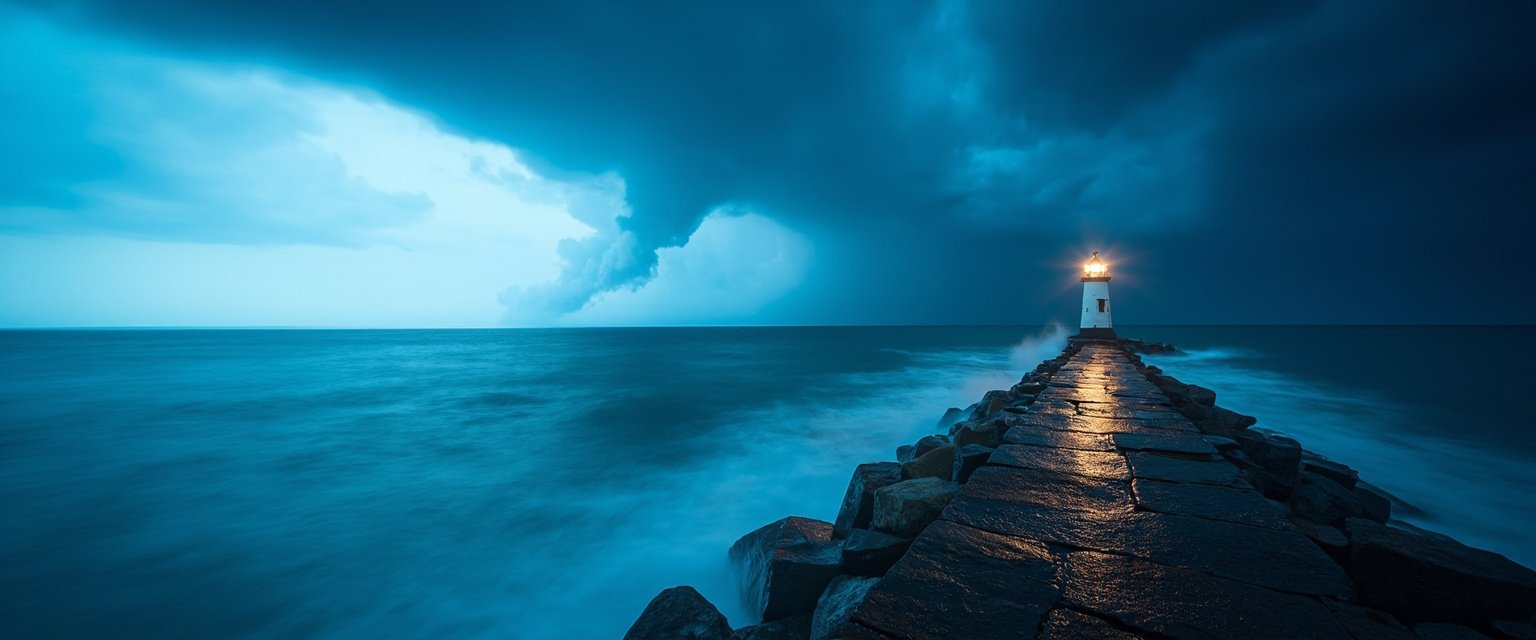
PromptA lone lighthouse at the end of a stone breakwater. A storm approaching from the right, waves breaking against the rocks on the left. The sky split down the middle: clear blue on the left, heavy clouds on the right. Panoramic photography, long exposure, silky sea, level horizon.generate in chat ↗
Where it's already running
Imegia uses HiMegia as the visual engine of its creation platform.
There it doesn't work alone: HiVision analyzes the uploaded images, HiNova interprets the request and coordinates the flow, and HiMegia generates or transforms the visual content. To the end user, all of that is a text box and a button.
“HiVision understands, HiNova coordinates and HiMegia creates.”
— Alarico Bueno, founder of Imegia
How it compares
The market usually forces a choice: either the model writes text well, or it edits well, or it holds consistency across images. HiMegia was built so that choice isn't necessary.
Text inside the image
The percentage of characters that come out correct when the request includes text in the scene. It's the metric that separates the models most today, and the one that costs the most when it fails.
Character accuracy in text generated inside the image
HiMegia99%
GPT Image 299%
Ideogram 497%
Nano Banana Pro95%
FLUX.282%
Imagen 4 Ultra78%
Midjourney V8.161%
Scale of 0 to 100%. Values for GPT Image 2 and Nano Banana Pro as published by their makers; the remaining values from internal evaluation over the same set of requests.
How many fronts the model covers
Each capability below solves a type of work. A model that covers few of them forces you to assemble the rest elsewhere — another model, another tool, another integration.
Capabilities covered, out of the six compared
HiMegia6 / 6
Nano Banana Pro5 / 6
GPT Image 24 / 6
Imagen 4 Ultra2 / 6
FLUX.22 / 6
Ideogram 42 / 6
Midjourney V8.11 / 6
A direct count from the table below: each “yes” is worth a point; “partial” scores nothing.
Side by side
HiMegia
GPT Image 2
Nano Banana Pro
Imagen 4 Ultra
FLUX.2
Ideogram 4
Midjourney V8.1
Multilingual text in the scene
yes
yes
yes
partial
partial
yes
no
Generation and editing in the same model
yes
yes
yes
yes
yes
yes
partial
Multiple references
yes
partial
yes
partial
yes
partial
partial
Plans the scene before generating
yes
yes
yes
no
no
no
no
4K output
yes
yes
yes
yes
partial
no
partial
Ultrawide aspect ratio (21:9)
yes
no
no
no
partial
no
yes
The difference shows up less in one isolated image and more in the tenth request of the day — when what matters is coming out right without someone reviewing every one.
Where to use it
HiMegia is in three places, and you don't have to choose between them: it's the same account and the same balance across all three.
In the chat — at chat.hinow.ai you pick HiMegia from the model list and describe the image, as you would in any conversation. To edit instead of create, just attach the image along with the request. It's the route for anyone who wants to use it without installing anything.
On the platform — at platform.hinow.ai you get the playground to test variations side by side, adjust the aspect ratio and output format, keep a history of generations and track the team's usage.
Through the API — to put image generation inside your own product, without the end user ever knowing there's a model in there. It's how Imegia uses it.
It's the same model in all three — only the way you talk to it changes.
Technical details
How to call it
HiMegia is exposed in the HiNow API under the id hinow/himegia.
POST https://api.hinow.ai/v1/images
Authorization: Bearer YOUR_API_KEY
Content-Type: application/json

{
  "model": "hinow/himegia",
  "prompt": "describe the image you want here",
  "parameters": {
    "aspect_ratio": "16:9",
    "output_format": "png"
  }
}
To edit, the same endpoint takes the source image in images, along with the instruction in prompt.
API keys are created at platform.hinow.ai/manage/api-keys. The API is compatible with the OpenAI format, so in most cases you only have to change the base URL and the model name in the code you already have.
Parameters
aspect_ratio
1:1, 16:9, 9:16, 4:3, 3:4, 3:2, 2:3, 21:9, 9:21
default 1:1
num_inference_steps
20, 25, 28, 30, 35, 40
default 28
guidance_scale
1.5, 2.0, 2.5, 3.0, 3.5
default 2.5
output_format
jpeg, png, webp
default jpeg
Categories
HiMegia appears in the catalog under two categories, because it serves both: Text To Image and Image To Image.
The portrait of HiMegia
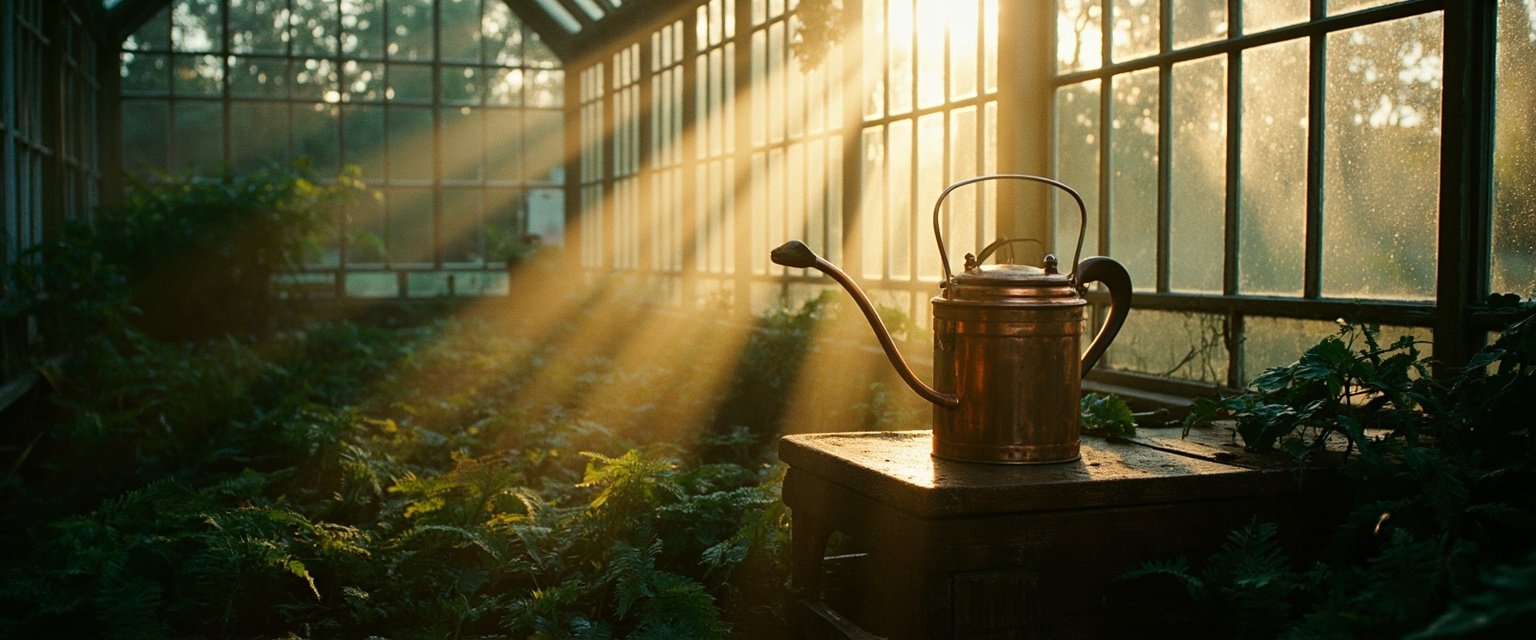
To close, what came out when we asked HiMegia for a self-portrait in the form of a scene — light, matter and atmosphere in a single frame: dawn coming through a greenhouse, raw material turning into image. The full prompt is in the caption; click generate in chat and create your own variation.
PromptThe interior of a Victorian glass greenhouse at dawn. Low mist between beds of ferns and monstera. Sunbeams cross the grimy glass roof, forming visible shafts in the haze. A forgotten copper watering can on a worn wooden bench. Beads of condensation on the panes. 35mm film photography, warm natural light, shallow depth of field, fine grain.generate in chat ↗
Start generating now
HiMegia is available in HiNow Chat, on the platform and through the API — same account, same balance across all three.


 Start for free